

Table of Contents
What Digital Transaction Management Actually Means
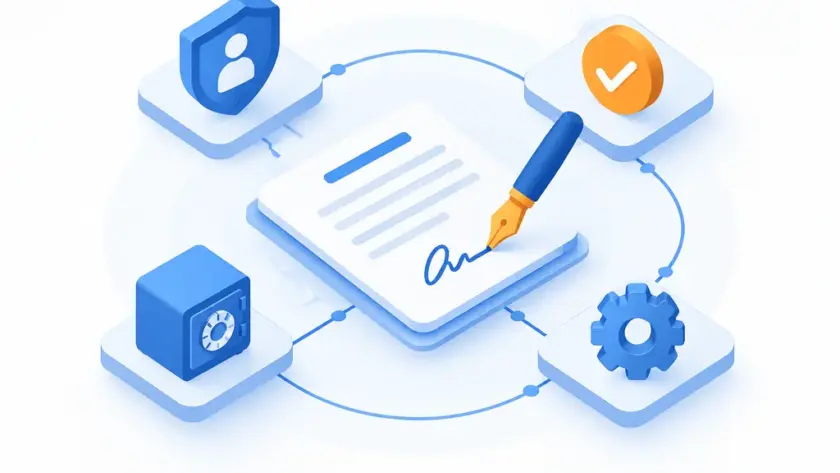
Digital transaction management (DTM) is a cloud-based service category that manages document-based transactions from start to finish. It handles the people, documents, and data involved in a process so the transaction moves without the usual friction.
DTM is not e-signature with a new name. E-signature is one component inside it. A DTM system wraps that signature in identity checks, document transfer and certification, secure archiving, and the workflow logic that ties the steps together. The signature is the visible part; most of DTM is the machinery around it.
The category got a formal definition when the xDTM Standard Association released the first public DTM standard on March 24, 2016. That standard set out a published set of core requirements a compliant DTM provider is expected to meet. DocuSign announced it had finalized certification against the standard that same April. The standard works mainly as a signal of intent. DTM was always meant to cover more ground than signing a PDF.
The Core Components of a DTM System
Think of DTM as a stack. Each layer supports the one above it, and skipping a layer is where most broken deployments start.
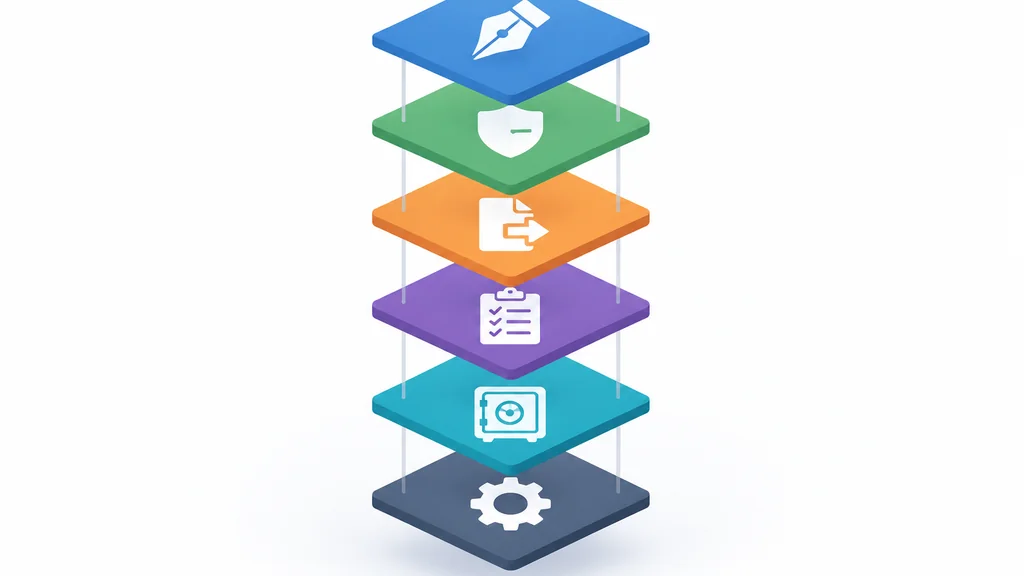
- E-signature
- The signing step itself, where a party applies a legally recognized electronic signature to a document.
- Identity authentication and non-repudiation
- Proof of who signed, so a party can’t later deny it. This is the layer people underestimate.
- Document transfer and certification
- Getting the right file to the right party intact, with a record that it arrived unaltered. That is the same concern that drives the choice between secure file transfer protocols when you’re moving sensitive files anywhere else.
- Audit trail
- A timestamped log of who did what and when, which is what you produce when a deal is disputed.
- Secure archiving
- Storage that keeps completed transactions retrievable and reproducible for as long as you’re required to keep them, resting on the database layer underneath the vendor’s platform, whether you ever see it or not.
- Workflow automation
- The routing rules, reminders, and conditional steps that move a transaction from draft to signed without someone babysitting it.
The stack is the point. A tool that only does the top layer is an e-signature product. A DTM platform runs the whole stack.
DTM vs. E-Signature: What’s the Difference?
The difference is scope, and it shows up the first time a deal goes sideways. E-signature captures a signature. DTM captures the transaction.
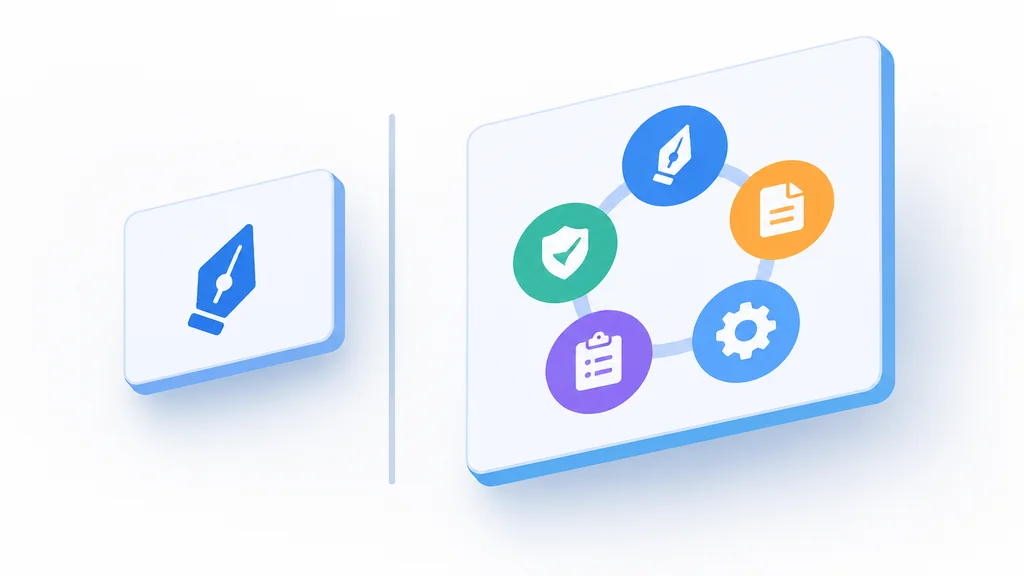
One panel signs a document. The other cluster verifies, certifies, logs, archives, and routes it.
Here’s how the two stack up on the layers that matter when a deal is disputed.
| E-Signature Tool | DTM Platform | |
|---|---|---|
| Signature capture | Yes | Yes |
| Identity authentication | No | Yes |
| Document certification | No | Yes |
| Audit trail | Basic log | Timestamped & exportable |
| Secure archiving | No | Yes |
| Workflow automation | No | Yes |
An e-signature tool gets the document signed and returned. A DTM platform does the same but also captures the evidence needed to prove what happened, when, and by whom. When a counterparty claims they never signed, the e-signature tool gives you a signature image, while the DTM platform gives you the identity evidence and the timestamped trail.
That gap is why the two terms get used interchangeably and shouldn’t be. If your only need is a signature on a one-off form, e-signature is enough and cheaper. If you’re running repeatable transactions with multiple parties, compliance obligations, and a record you may need to defend, e-signature is one piece of what you need. DTM is the category that covers the rest.
Why Businesses Are Adopting DTM (and What It Replaces)
Most teams adopt DTM to kill a paper workflow they’ve quietly tolerated for years. Picture a vendor contract that used to require printing, signing, scanning, and emailing back. Each handoff added a day. The scan came back crooked. Someone filed the wrong version. Multiply that across every agreement in a quarter and the drag becomes obvious.
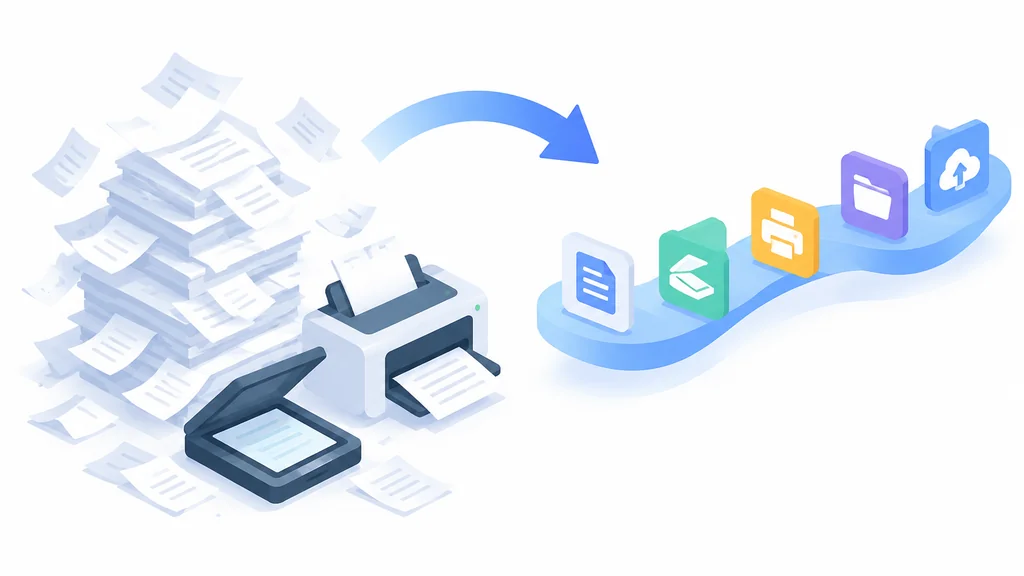
A DTM flow collapses those steps. The contract routes to the right signers in order, each signs with a verified identity, the audit trail records the sequence, and the finished document archives itself. No printer, no scanner, no “did you get my email” thread.
The compliance risk of manual processes is the quieter driver. Paper files get lost. Email threads don’t prove identity. A missing signature page can surface years later during a dispute or an audit, and reconstructing what happened from scattered PDFs is expensive. An audit trail built at the moment of signing is worth far more than one assembled after the fact.
Remote work forced the issue for a lot of businesses. When signers, approvers, and counterparties sit in different cities, a wet-ink workflow stops working entirely. DTM was built for that distributed reality.
The cost savings show up on the back end too. Courier fees disappear. Office supply spend on printing drops. Staff time that went to chasing signatures gets redirected toward other work. None of those savings show up in a single line item. Across a year of contracts, they add up.
Compliance and Legal Validity
A DTM platform does not make a transaction legally valid on its own. Validity depends on meeting the requirements of the law that governs the transaction. The software helps meet them; legal review is still required.
In the US, the ESIGN Act took effect on October 1, 2000. It gives electronic signatures and records the same legal standing as handwritten ones in interstate and foreign commerce, provided requirements like consumer consent and accurate, accessible, reproducible record retention are met. It does not cover wills, adoption or divorce papers, or certain court orders. Those may require a different process or jurisdiction-specific handling.
In the EU, the eIDAS Regulation (910/2014) set the framework. It applies directly across the EU. It gives qualified electronic signatures, seals, and timestamps the same legal weight as paper equivalents and defines three tiers: Simple (SES), Advanced (AES), and Qualified (QES). The tier you need depends on the transaction, and a higher tier carries stricter identity requirements.
Any DTM system handling EU personal data also sits inside GDPR. The GDPR was adopted on April 14, 2016 and became enforceable on May 25, 2018. GDPR requires that personal data be kept no longer than necessary for its processing purpose. It sets no fixed retention period, so your retention policy has to come from your own processing purpose and be documented. Audit trails and archives full of personal data fall under that rule, so retention settings deserve a deliberate decision built from your own policy.
How to Choose a DTM Platform: Evaluation Checklist
Use these criteria to separate a real DTM platform from a signing tool with marketing attached. Picking a vendor here is the same kind of tradeoff as weighing a managed platform against building the controls yourself, trading convenience for control.
- Identity assurance level. Check what the platform actually verifies about a signer. Weak identity checks undermine non-repudiation, which is the whole reason you keep an audit trail.
- Audit trail depth and export. Confirm the trail is timestamped, tamper-evident, and exportable in a form you can hand to a lawyer or auditor. A trail you can’t extract is a trail you can’t use.
- Retention and archiving controls. You need to set retention periods that match your legal and GDPR obligations, not whatever the vendor defaults to.
- Multi-party and partner-chain signing. If your deals run through referral partners or affiliates, test a signing flow that crosses organizational lines. Order of signing, delegated authority, and visibility for each party matter more here than in a simple two-signer flow.
- API and integration access. Check that the platform connects to your CRM, affiliate tracking tools, or billing tools. A DTM system that can’t talk to your other systems just moves the manual work downstream.
- Workflow automation flexibility. Look for conditional routing, reminders, and approval steps you can configure without engineering help.
- Compliance documentation and legal support. Ask what the vendor provides on ESIGN and eIDAS alignment and whether they’ll support a legal review. Read the claims carefully; “compliant” from a vendor means their tooling, not your transaction.
Best DTM Tools Worth Considering
Each of these covers e-signature and varying amounts of the wider DTM stack. Match the tool to the depth you need.
- DocuSign: the broadest enterprise positioning, with a deep workflow and integration ecosystem; it was among the first to certify against the xDTM standard.
- Adobe Acrobat Sign: a natural fit for teams already inside Adobe’s document ecosystem, with strong PDF handling.
- PandaDoc: aimed at sales teams that want document creation, proposals, and signing in one place rather than a pure signing tool.
- Dropbox Sign: a straightforward signing tool that integrates with Dropbox storage.
Pricing and plan details change often; confirm current terms directly with each vendor before you commit.
FAQ
Is digital transaction management the same as e-signature? No. E-signature is one component of DTM. DTM also covers identity authentication, document certification, audit trails, secure archiving, and workflow automation.
Is DTM legally binding? The transaction can be legally binding if it meets the requirements of the governing law, such as the ESIGN Act in the US or eIDAS in the EU. The platform supports compliance, but meeting it still depends on how you configure and use it. Consumer consent, record retention, and identity assurance still have to be handled.
What’s the difference between DTM and contract lifecycle management (CLM)? CLM focuses on the life of a contract, from drafting and negotiation through renewal and termination. DTM focuses on executing document-based transactions securely. The two overlap at signing and often integrate, but they solve different problems.
Do small businesses need DTM or is e-signature enough? If you sign occasional one-off documents, e-signature is usually enough. If you run repeatable multi-party transactions, deal with referral partners, or need a defensible record for compliance, the wider DTM stack earns its keep.
How long does a DTM rollout usually take? A single-department rollout with one or two integrations is the fastest path to going live. A rollout that spans multiple departments, legacy system integrations, or custom approval chains takes longer, since each workflow needs its own mapping before it goes live. Budget extra time for the signer-identity rules and retention settings, since those are the pieces teams most often leave unconfigured at launch.
Thank you for reading!